IRIS Flip Support
Need help with your IRIS Flip? We are available to assist you at (888) 345-5509.


1-12 of 234
…
Navi-Key Shortcuts
Navi-Key Left
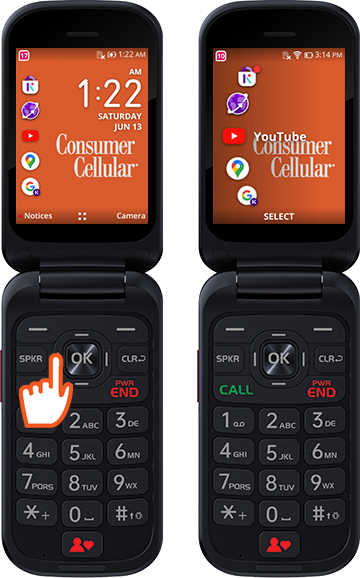
Click the Navi-Key to the left to open Quick Apps on the homescreen.
Navi-Key Right
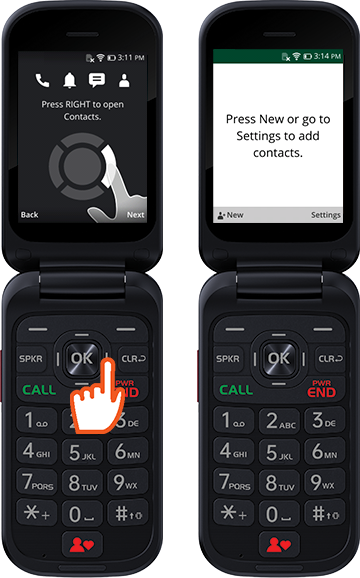
Click the Navi-Key to the right to open Contacts on the homescreen.
Navi-Key Up
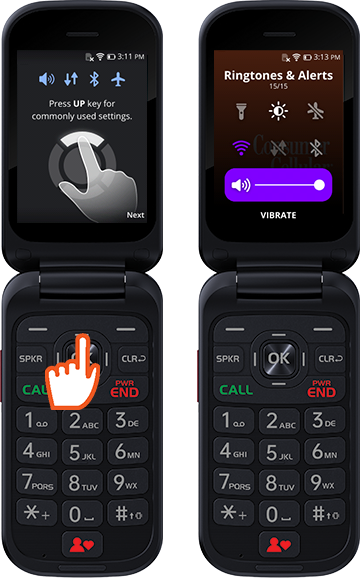
Click the Navi-Key up to open ringtones & alerts on the homescreen.
Navi-Key Down
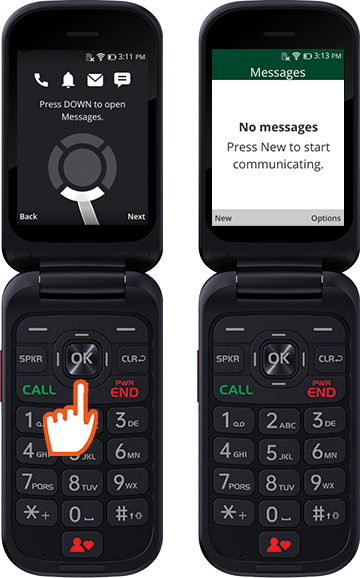
Click the Navi-Key down to open Messages on the homescreen.
Voice to Text Messaging
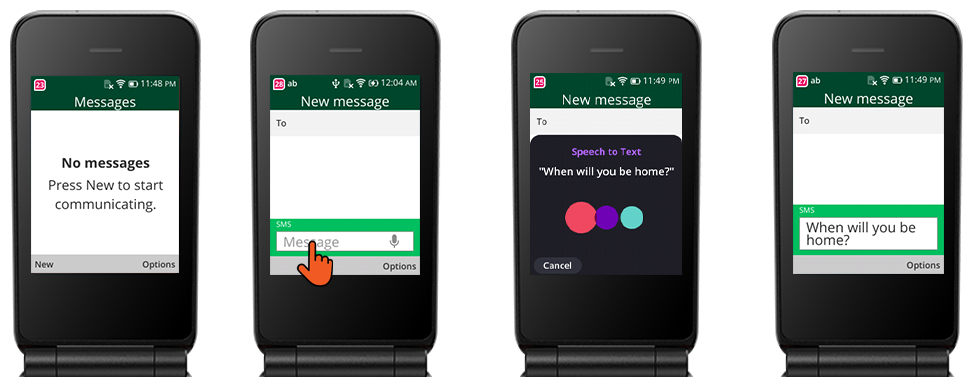
No frustrating typing here! Simply use the voice to text feature to send messages to family and friends without typing every character.
- Open Messaging
- Click the left soft key to start a new message
- Choose your contact
- Click the navi-key down to the message box
- Hold the OK button for 3 seconds
- The Speech to Text box will appear. Speak normally how you would to your contact and the text will appear in the message box.
- Press Ok to send the message
Voice Assistant Search
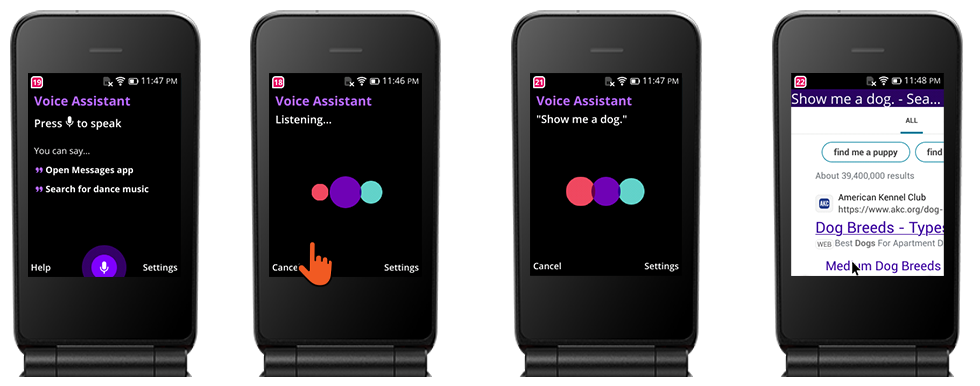
Voice Assistant is an easy way to search online without typing in the browser. Simply use your voice to ask a question for what you are looking for.
- Open the menu
- Click Voice Assistant
- Hold the OK button for 3 seconds
- Speak normally for what you are searching for. Example: "Show me a dog", "Find the nearest restaurant near me", or "Find a recipe for apple pie".